
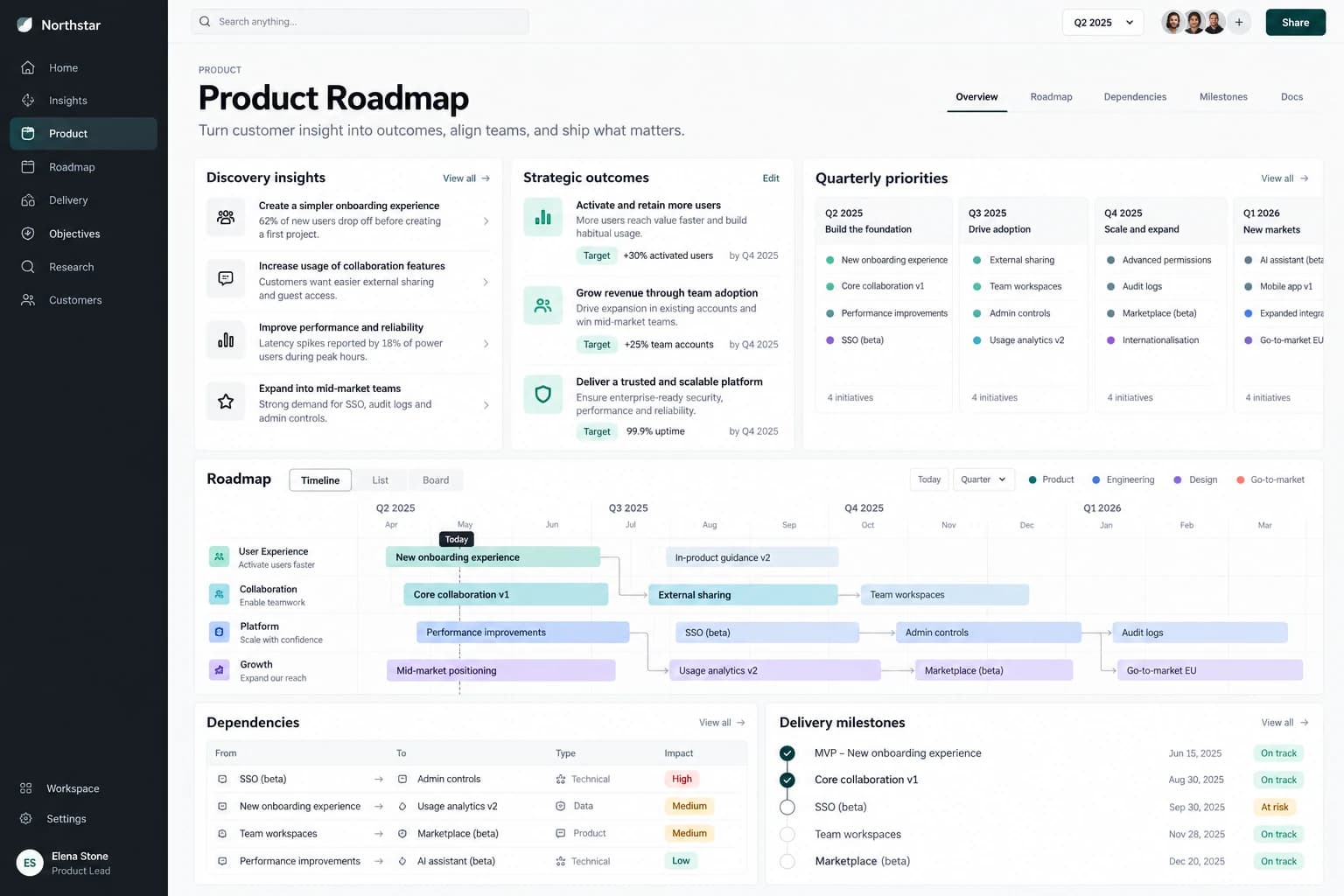
How to build a digital product roadmap that survives change
A step-by-step product roadmap guide with an outcome definition, journey mapping, release sequencing, evidence checkpoints, and operating ownership.
All articles ↗A practical WCAG-aligned website accessibility checklist for navigation, forms, content, responsive layouts, testing, and release ownership.

Accessibility is easiest to maintain when it is part of design, writing, development, and release. Use this checklist on a real task such as finding a service, submitting a form, or completing checkout; a page can pass isolated checks while the journey still fails.
Use the W3C WCAG 2.2 quick reference for specific success criteria and techniques. Automated tools help find issues, but keyboard testing, screen-reader review, and testing with disabled users reveal problems tools miss. Record each issue with its affected journey, owner, and retest date.
Choose a task with a beginning and end, such as finding a service and submitting an inquiry. Use only a keyboard from the address bar onward. Can you see focus at every step? Can you operate menus, tabs, accordions, dialogs, and the form? After an error, does focus move somewhere useful and is the message associated with the field? Then repeat with a screen reader, checking that headings, labels, status messages, and link names make sense in context.
Replace click-only containers with native buttons or links. Give every input a visible label instead of relying on placeholder text. Ensure a modal traps focus while open and returns focus when closed. Set image alternatives according to purpose: meaningful diagrams need explanation, while decorative images should be hidden from assistive technology. At high zoom, avoid horizontal scrolling for ordinary text and controls.
Add accessibility acceptance criteria to stories and design reviews. Keep a short regression set of critical journeys for each release. When a test fails, record the affected user task and fix the component pattern so the problem does not repeat across pages. Accessibility is a quality practice, not a one-time audit.
A menu may be keyboard operable in isolation but fail inside a sticky header that hides its focus indicator. A form may have labels but announce errors only visually. Test components as part of the full page and journey. Start at the top with a keyboard, follow the route a customer would take, then repeat at narrow width and high zoom. Record the first place the journey becomes uncertain or impossible.
Automated checks are fast and repeatable for detectable issues such as missing labels or some contrast failures. Manual review is needed for logical order, meaningful link text, sensible image alternatives, and whether feedback actually helps a person recover. Screen readers expose relationships and announcements that a visual review misses. Where possible, involve people who use assistive technology in usability testing. The W3C WCAG quick reference maps criteria to techniques, but a usable outcome requires more than checking boxes.
The name and email fields have visible labels. A required field is identified in text. On submit, the form keeps entered values, places focus on an error summary or first invalid field, and ties each error to its input. A successful submission produces a message that assistive technology can detect. The button communicates a loading state without becoming permanently inaccessible. The same journey works at 200% zoom and on a phone.
Create a component-level pattern for focus, errors, dialogs, and navigation. Add accessibility requirements to acceptance criteria before design sign-off. Retest critical journeys after new content, scripts, or visual treatments are added. Track issues by impact on a user task and fix the shared pattern when one exists. Keep the standard and test scope visible to everyone who can publish or ship changes.
A step-by-step product roadmap guide with an outcome definition, journey mapping, release sequencing, evidence checkpoints, and operating ownership.
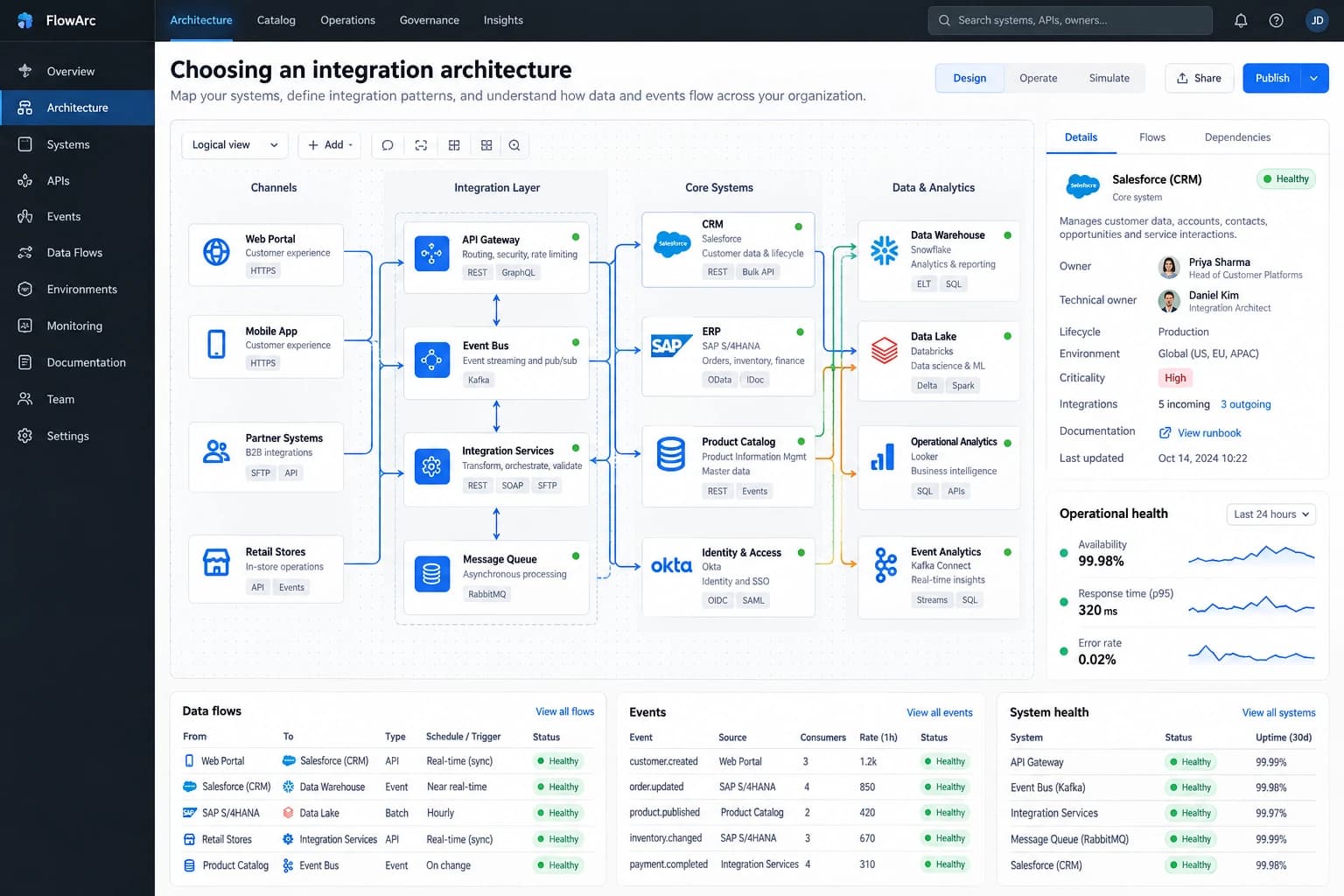
All articles ↗Compare synchronous APIs, event-driven messaging, and batch integration by latency, ownership, failure handling, data consistency, and operating cost.
All articles ↗Plan a secure cloud migration with dependency mapping, identity controls, backup rehearsal, cutover criteria, rollback, and post-migration ownership.
All articles ↗